Pay off debt in the order that keeps you going.
Tally Wyze runs the debt snowball for you — every payment, every rollover, every payoff date — inside a simple budget that never asks for your bank login.
FreeiOS & AndroidFree updatesNo ads
Three steps. Then it compounds.
The debt snowball works because the wins arrive early enough to keep you in the fight. Tally Wyze handles the bookkeeping so you only have to handle the payment.
List every balance
Card, car, student loan, the $400 you owe your brother. Balance, minimum, APR. Two minutes of typing, once.
Attack the smallest
Tally Wyze sorts the pile and tells you exactly where every spare dollar goes this month — and what it buys you.
Roll it forward
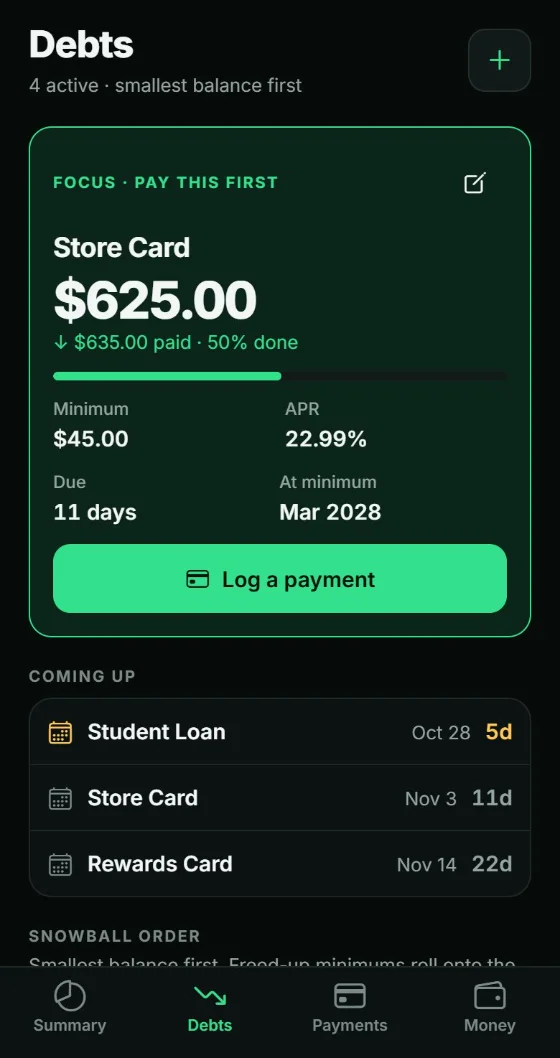
When one is gone, its payment stacks onto the next. The snowball gets heavier, the dates get closer, and you can see it happening.
Everything the plan needs.
Nothing that sells your data.
Snowball or avalanche
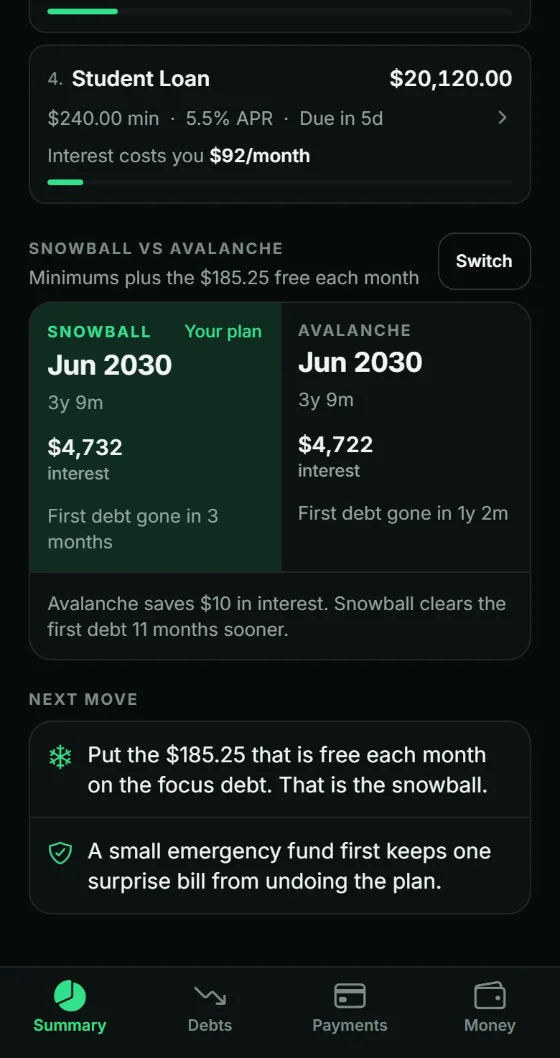
Sort by balance for momentum or by interest rate for math. Switch anytime and compare both payoff dates side by side.
A real payoff date
Not a vague someday. An actual month, recalculated the moment you log a payment or change a number.
What each debt really costs
Every balance that charges interest shows it in dollars a month, not just an APR. It is the number that makes the order click.
A budget that stays simple
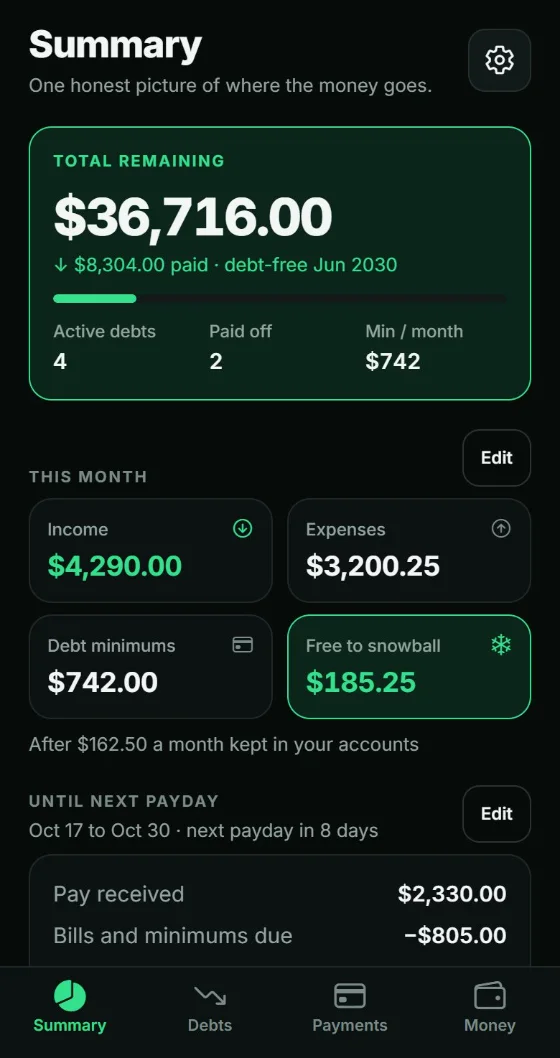
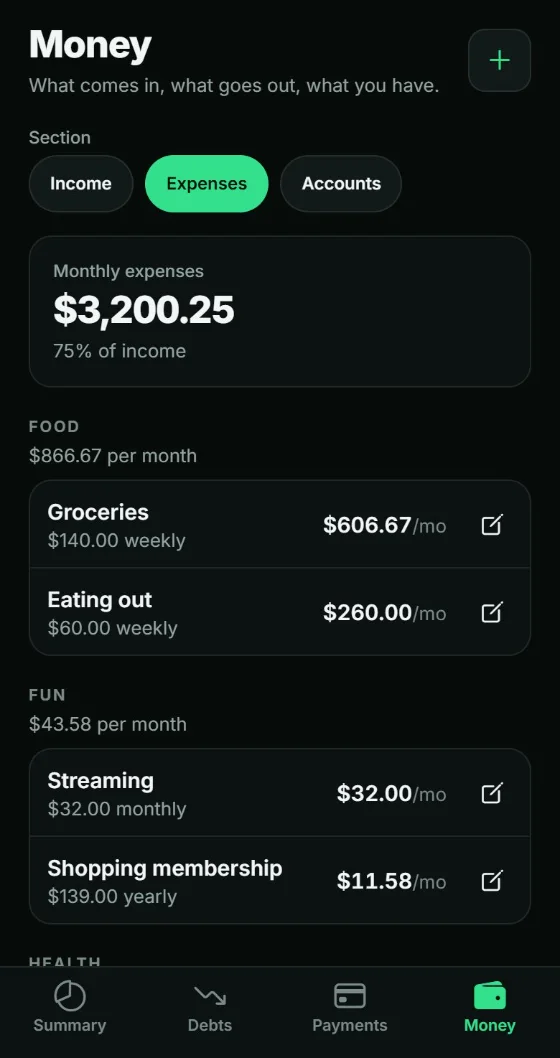
Income by payday, bills by category, savings deposits, and one honest number: how much is genuinely free to throw at debt this paycheck.
Milestones worth seeing
Watch the count of closed balances climb and the rollover grow, and get a moment worth screenshotting when the last one goes.
Your ledger stays yours
No bank connection to authorize, no ad network, no profile being built in the background. It lives on your phone, and you can export a backup file anytime.
Ask your AI assistant about your plan. No server in between.
Your backup file explains itself. Hand it to the assistant you already use and it can run the what-ifs, log a payment you tell it about, and give you back an updated file. Nothing changes in the app until you import it.
The file goes only to the assistant you choose, under that company’s privacy terms. We never see it.
- 01Export a backupSettings → Backup. One file, your whole plan.
- 02Ask“If I put $100 more a month toward this, when am I debt-free?”
- 03Import, or don’tLike what it changed? Import the file. If not, nothing happens.
Built to be opened on a Tuesday night.
Big numbers, few taps, no dashboards you have to decode. You should be able to log a payment before the microwave finishes.
Free to start. Pay once. Never a subscription.
A budgeting app that charges you every month is a strange thing to buy while you are trying to spend less every month.
Try the whole plan on your first three debts for free. Unlock unlimited debts with one purchase, and every future update comes with it.
- Snowball, avalanche, budget and backups in both versions
- No subscription, ever
- iPhone and Android
- No account, no ads, no data sold
Three years from now, still $0 per month.
Reasonable questions.
Is there really no subscription?
Really. The app is free to download and plans up to three open debts at a time, with every feature. If you have more, Tally Wyze Pro unlocks unlimited debts for $4.99, paid once in the App Store or Google Play, and every future update is included. Paid-off debts stop counting, so finishing one frees its slot.
I switched phones. Do I pay again?
Not on the same store. Open Settings and tap Restore purchase, signed in to the same Apple or Google account. Purchases do not carry between iPhone and Android, because there is no Tally Wyze account to link them.
Snowball or avalanche — which should I use?
Avalanche pays less interest on paper. Snowball closes accounts sooner, which is what keeps most people from quitting in month four. Tally Wyze shows you both payoff dates so you can decide with real numbers instead of a blog post.
Does it connect to my bank?
No. You enter your balances and log your payments. That means no credentials to hand over, no aggregator in the middle, and nothing to re-authorize every ninety days.
Can I use it with my AI assistant?
Yes, without connecting anything. Export a backup from Settings and share it with your assistant. The file carries plain-language instructions, so the assistant knows how to read your plan and how to edit it without breaking it. It can answer questions in its reply or hand back an updated file, and the app changes only if you import that file yourself. Sharing the file sends your debts and payments to that AI company, so it is your call, made one file at a time.
Is it on both iPhone and Android?
Yes — the same app on each store.
What if I take on a new debt later?
Add it and the plan re-sorts itself. Your payoff dates update immediately so you can see exactly what the new balance costs you in time. On the free version, a fourth open debt needs Pro.
Who makes Tally Wyze?
Forge Perfect, a small software company in Washington state. Same shop behind ActionTMS.